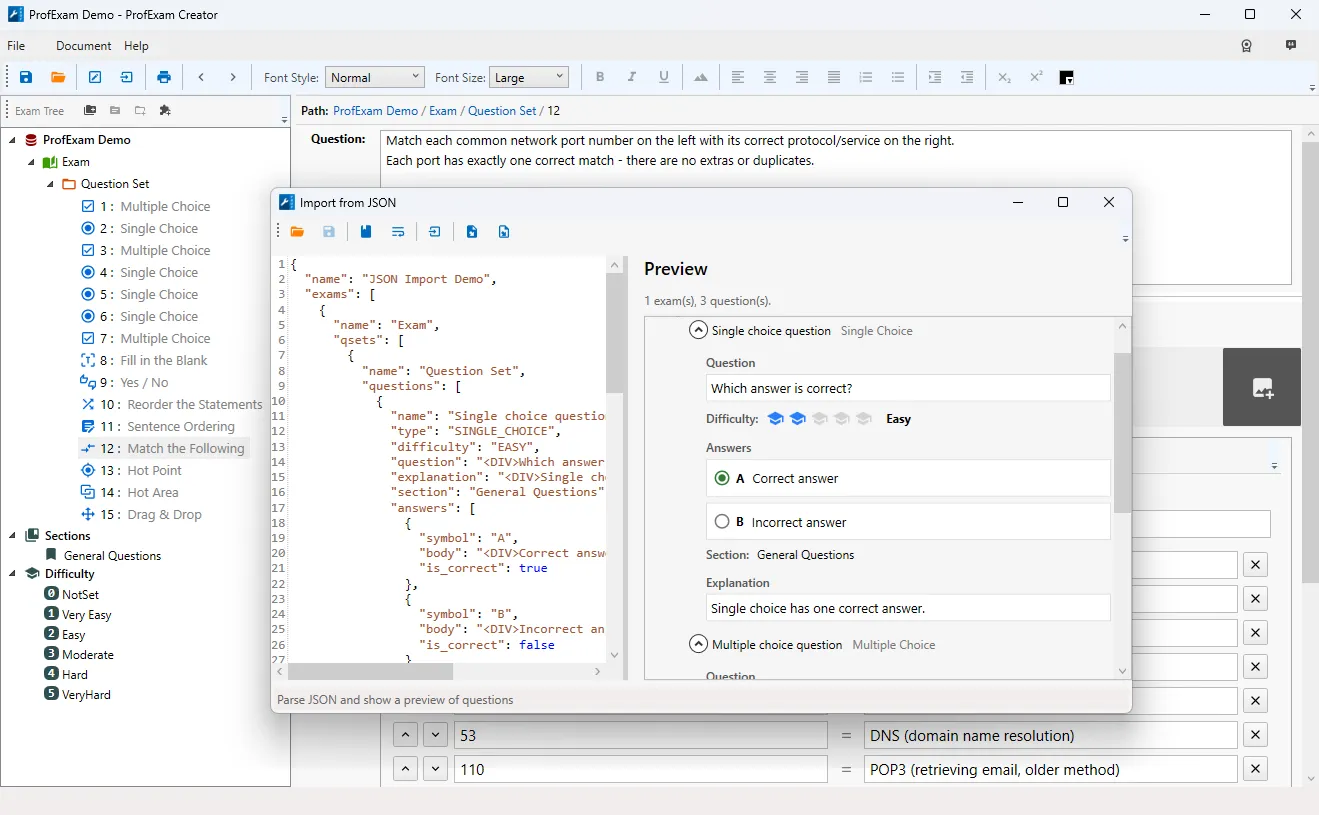
The new ProfExam Creator update brings the biggest change to how you work on an exam in a long time: an AI chat that sits next to the editor and works on the open test together with you. On top of that, the document finally gets full Undo and Redo, and saving and opening files have become much harder to break.
AI Chat That Works on Your Exam
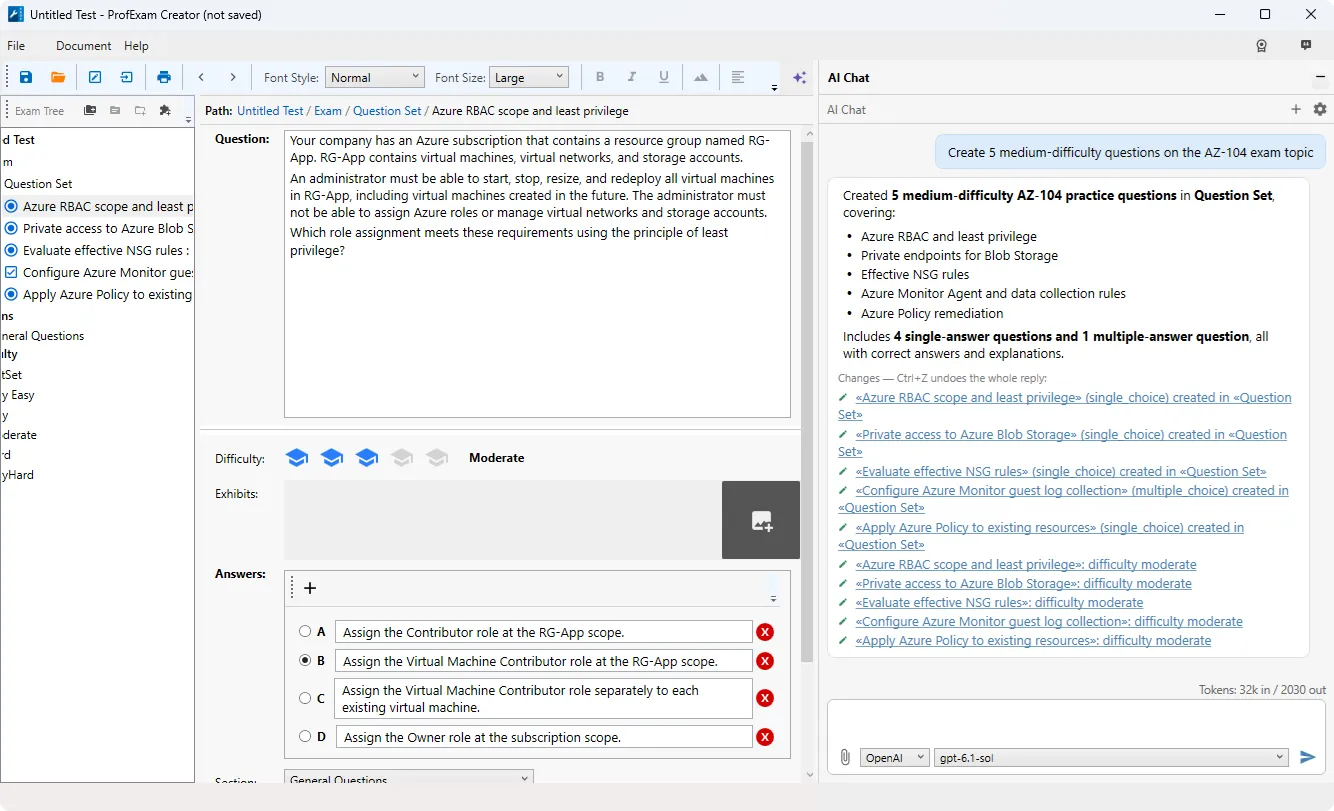
A chat panel now opens to the right of the editor - click the AI button on the toolbar or press Ctrl+Alt+I. You can discuss the open exam with the model and ask it to make changes directly in the document.
- Three providers to choose from. Use Claude or OpenAI with your own API key, or run local models through Ollama - in that case your document never leaves your computer. The provider and model are picked right under the input box and can be switched in the middle of a conversation. Reasoning models are supported with OpenAI.
- The model reads and edits the exam. Question text, answer options, correct answers, explanations, difficulty and question type - all of it is available to the model. It works with every question type, including Hot Area, Drag and Drop, Match, statement ordering and Testlets (description and exhibits), and it can see the images in your questions.
- Question generation. Ask the model for new questions of any type, and they arrive with the correct answer already set.
- Import questions from files. Attach a PDF, Word (.docx), RTF, plain text file or image to your message - with the paperclip button, drag and drop, or Ctrl+V. The model moves the questions into the open exam and keeps their type.
- Everything can be undone. The entire response of the model is reverted with a single Ctrl+Z. Bulk edits and question deletion are only performed after you confirm them.
- You always see what changed. Under every answer there is a list of the questions that were modified, with links to jump straight to them.
- Your keys stay safe. API keys are stored encrypted for your Windows user account and are never written to the settings file.
Undo and Redo for the Whole Document
Ctrl+Z and Ctrl+Y now work across the document and are also available in the Document menu. You can undo and redo:
- adding and deleting exams, question sets and questions;
- moving questions and question sets;
- changing a question's type;
- assigning and removing sections;
- changing difficulty;
- edits made by the AI chat.
Typing inside the question editor is still undone by the editor itself, just as before.
Safer Saving and Opening
- Running out of disk space no longer costs you your work. Previously, a full disk during saving could hang the application and lead to lost changes. Now you get a clear message, the document stays marked as unsaved, and the previous version of the file is preserved.
- Errors when opening a file are reported. If the disk is full, the file is missing or damaged, ProfExam Creator now tells you so instead of failing silently with the "Loading" indicator stuck on screen. The document you already had open stays where it was.
- The save indicator is visible on repeated saves with Ctrl+S, too.
- Settings are no longer overwritten when several ProfExam Creator windows are open at the same time.
Other Fixes
- Inserting an image into a list item or a table inside question text (or deleting such an image) no longer triggers a series of error messages.
- Questions without a section, or with a link to a deleted section, now receive the default section when the exam is opened and saved.
- If WebView2 Runtime is not installed, the print window no longer crashes - it offers to open the download page instead.
- Paragraphs and text blocks are now formatted consistently in print.
- Crash reports are now sent for errors in background operations, not only in the user interface - which helps us find and fix problems faster.
- The feedback window has the correct title ("Feedback" instead of "Section") and larger buttons.
- Interface wording and image file filters have been corrected.
Get the Update
ProfExam Creator 10.5.0.614 is available now. Download the latest version in the Downloads section: Download ProfExam Creator.