Main Window
When you start the app, the main window opens. All settings are on this one screen.
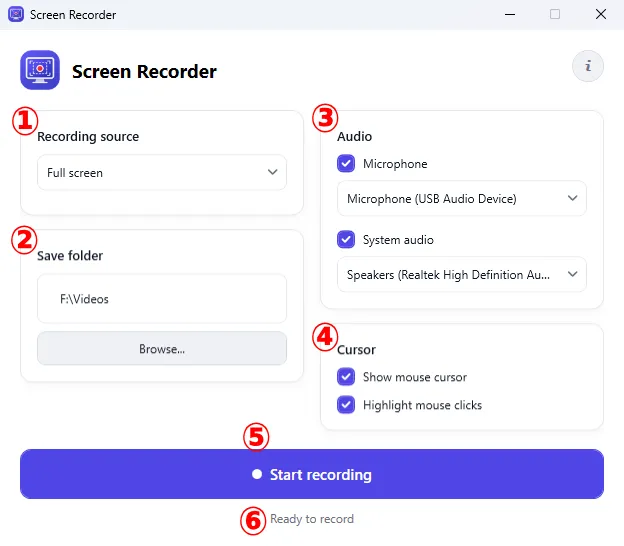
The window has the following parts:
- Recording source — what to record (screen, monitor, region, or window). See Choosing what to record.
- Save folder — where finished videos are saved. See Save folder.
- Audio — microphone and system audio recording. See Audio.
- Cursor — cursor visibility and click highlighting. See Cursor.
- The Start recording button.
- Status line — shows what is happening right now (“Ready to record”, “Recording...”, “Recording saved”, and so on).
The i button in the top-right corner opens the About window.